Tiny Letters Copy and Paste Small Text Guide
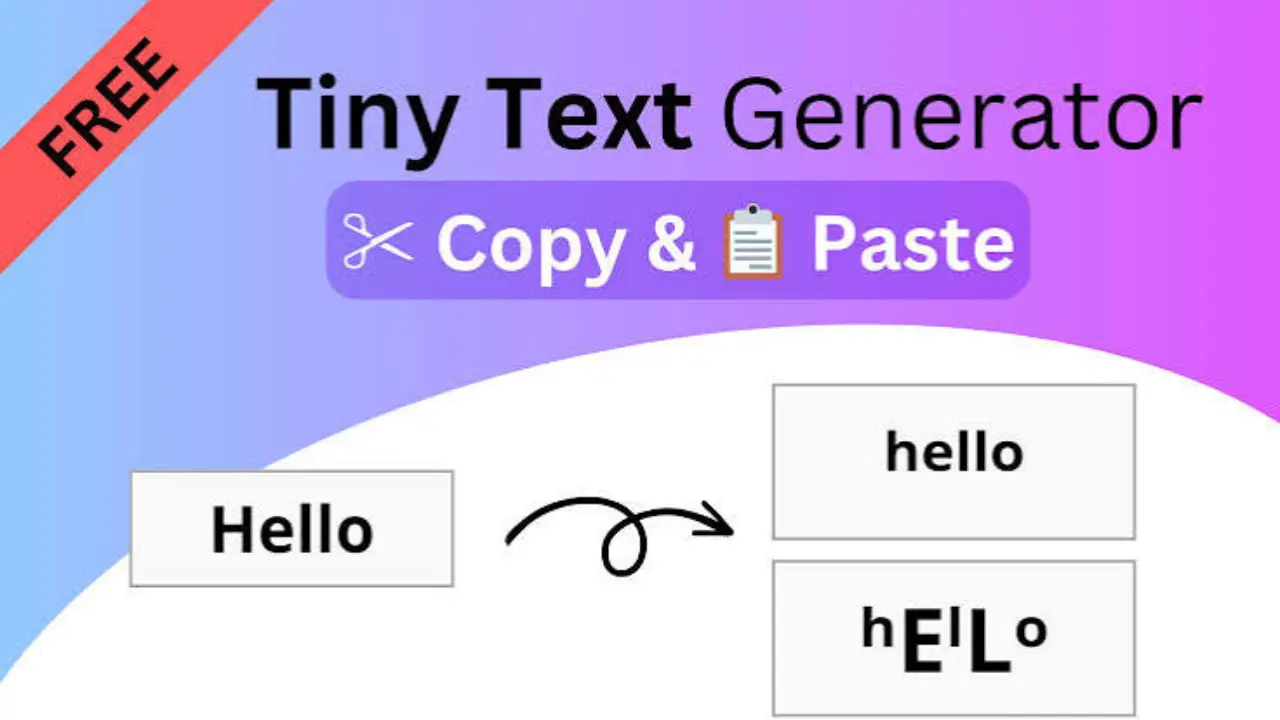
Tiny letters copy and paste tools and character lists let you turn regular text into smaller-looking Unicode characters. They are commonly used in social media bios, captions, display names, notes, and decorative headings. Copy the text you like, then paste it into an app or website that accepts Unicode characters.
These are not usually smaller font sizes. Instead, they are separate characters from the Unicode standard, including superscript letters, subscript letters, and letters from phonetic alphabets that resemble miniature text.
Tiny letters to copy and paste
Copy any line below and paste it where you want to use it. The first line is the most readable small-text style for ordinary words.
Small uppercase-style letters
ᴀ ʙ ᴄ ᴅ ᴇ ꜰ ɢ ʜ ɪ ᴊ ᴋ ʟ ᴍ ɴ ᴏ ᴘ ǫ ʀ ꜱ ᴛ ᴜ ᴠ ᴡ ˣ ʏ ᴢ
Superscript-style letters
ᵃ ᵇ ᶜ ᵈ ᵉ ᶠ ᵍ ʰ ⁱ ʲ ᵏ ˡ ᵐ ⁿ ᵒ ᵖ ᑫ ʳ ˢ ᵗ ᵘ ᵛ ʷ ˣ ʸ ᶻ
Subscript-style characters
ₐ ₑ ₕ ᵢ ⱼ ₖ ₗ ₘ ₙ ₒ ₚ ᵣ ₛ ₜ ᵤ ᵥ ₓ
Small numbers
⁰ ¹ ² ³ ⁴ ⁵ ⁶ ⁷ ⁸ ⁹
Subscript numbers
₀ ₁ ₂ ₃ ₄ ₅ ₆ ₇ ₈ ₉
Small punctuation and symbols
⁺ ⁻ ⁼ ⁽ ⁾ ₊ ₋ ₌ ₍ ₎ · ˚ ˖ ˗
How to make tiny text from normal text
Tiny text is made by replacing standard letters with visually similar Unicode characters. Because Unicode does not provide a matching tiny version for every lowercase letter, the result is a mixed set of characters rather than one true miniature font.
- Write your message normally first.
- Choose a small-text style that is easy to read.
- Replace letters one by one using a character list or a Unicode text converter.
- Copy the finished text.
- Paste it into the intended bio, post, message, title, or name field.
- Check the published result on the device or platform where it will appear.
For example, “small text” may be styled as “ˢᵐᵃˡˡ ᵗᵉˣᵗ.” The letters are copied as text, so the recipient can usually select and copy them too.
What tiny letters are actually called
“Tiny letters” is an informal label for several kinds of Unicode characters. The most common varieties have different original purposes.
| Style | What it is | Typical use |
|---|---|---|
| Superscript | Raised, small characters | Exponents, footnotes, stylized text |
| Subscript | Lowered, small characters | Chemical formulas, variables, stylized text |
| Modifier letters | Small letters used in phonetic or linguistic notation | Pronunciation notation and decorative text |
| Phonetic characters | Characters from phonetic alphabets that may look like small capitals | Linguistics and small-cap visual styles |
That is why a tiny-text alphabet can look uneven. Some letters have a close visual match, while others must use a similar-looking character. Superscript text is especially limited for a few letters, including q and some lowercase forms.
Copying tiny letters on phone and computer
On most devices, copying works like any other text. Select the characters, choose Copy, then tap or click the place where you want them and select Paste.
- Phone or tablet: Press and hold the text, adjust the selection handles if needed, and choose Copy. Press and hold in the destination field, then choose Paste.
- Windows: Highlight the text and press Ctrl + C; paste with Ctrl + V.
- Mac: Highlight the text and press Command + C; paste with Command + V.
- Chromebook: Use Ctrl + C and Ctrl + V.
For a repeated phrase, save it in a notes app or text-expansion shortcut. This avoids rebuilding the same styled text each time.
Where small Unicode text works well
Tiny text works best as a short visual accent. It can add hierarchy or personality without making the main message hard to read.
- Short profile bios and status lines
- Section labels in captions or notes
- Nicknames and decorative display names, where platform rules allow it
- Short invitations, announcements, or digital cards
- Creative headings in personal journals and planners
Use it sparingly in anything meant to be searched, copied accurately, read by many people, or accessed with assistive technology. Standard text is usually the better choice for account names, contact details, dates, instructions, schoolwork, and professional communication.
Why tiny text may not display correctly
Unicode characters are widely supported, but support is not identical everywhere. An app, website, operating system, or selected font may not include a glyph for a particular character. When that happens, the character can appear as an empty box, a question mark, or a replacement symbol.
Display can also vary from one device to another. A phrase that looks balanced on one phone may have different spacing or a different character design on another. Before using it in a public profile or an important post, preview it on the relevant platform.
Cute Bubble Letters Easy Step-by-Step Guide for Beginners
Common reasons pasting fails
- The field accepts only standard letters and numbers.
- The platform filters special characters in usernames, tags, or forms.
- A particular character is not supported by the font or device.
- The copied text includes an invisible space or line break.
- The app changes the characters during formatting or moderation.
If a line does not work, try a shorter version, remove decorative symbols, or use plain text. Do not keep retrying special characters in a field with strict naming rules; the field may intentionally reject them.
Readability and accessibility considerations
Small Unicode letters can be harder to read than ordinary text, especially on small screens. They may also be spoken inconsistently by screen readers because they are distinct characters with their own Unicode names and purposes.
A practical approach is to keep the important information in normal letters and reserve tiny text for a brief secondary phrase. Avoid replacing whole paragraphs, instructions, warnings, passwords, email addresses, links, or names that another person needs to type exactly.
Decorative text can also affect search and sorting. A platform may treat a small Unicode character differently from its normal Latin-letter lookalike. For example, searching for a standard letter may not find a visually similar phonetic character in a display name.
Alphabet Bubble Letters Easy Steps, Styles & Tips for Beginners
Tiny letters are different from changing font size
Tiny letters do not resize the font used by an app. They use different characters that look smaller within the same font area. As a result, they can be copied and pasted into many plain-text fields where font controls are unavailable.
Actual font-size changes are formatting choices made by the app, website, or document editor. Those changes usually do not travel with copied plain text. If you need reliable size control in a document, presentation, or webpage, use the editor’s formatting tools rather than Unicode small text.
Tips for better-looking small text
- Keep phrases short, usually one line or a few words.
- Use one style at a time rather than mixing many decorative alphabets.
- Leave normal spaces between words so the phrase remains readable.
- Test capital letters, numbers, and punctuation before publishing.
- Choose plain text if clarity matters more than appearance.
- Do not use lookalike letters to imitate a person, brand, or official account.
Small text is most effective when it supports the message instead of becoming the message. A readable bio with one miniature label is usually clearer than an entire profile written in stylized characters.
Frequently asked questions
Are tiny letters safe to copy and paste?
They are ordinary Unicode text characters, so copying them is generally as safe as copying other text. Still, avoid pasting unfamiliar text into passwords, security forms, payment fields, or official documents. Special characters may be rejected or may not mean what they appear to mean.
Can I use tiny letters in a username?
It depends on the platform. Some services allow Unicode characters in display names but limit usernames to letters, numbers, periods, underscores, or similar approved characters. Check the field’s rules and use a simple version if the characters are rejected.
Why is there no perfect tiny alphabet?
Unicode small characters were created for several technical and linguistic purposes, not as a complete decorative alphabet. Some letters have close matches, while others do not. A converter may use approximations to fill the gaps.
Will tiny text show up for everyone?
Often it will, but there is no guarantee. The reader’s device, font, browser, and app affect how each Unicode character appears. Important information should always be written in standard text.
Can tiny text be converted back to normal letters?
Sometimes. Many characters have obvious normal-letter equivalents, but conversion is not always exact because different Unicode characters can look alike. A normal-text copy should be kept if you may need to edit or reuse the phrase later.
Final Thought
Tiny letters copy and paste options are a simple way to add a small decorative touch to a short phrase. They work through Unicode characters rather than a font-size setting, so appearance and compatibility can differ across platforms. Copy a readable style, test it where it will be used, and keep essential information in ordinary text.